Access Events (Audit Log)
Table of Contents
Overview
The access events log gives organization administrators a record of security-relevant activity in their organization. It captures who signed in, when, and from where, so you can review account access, investigate suspicious activity, and support compliance requirements.
Access events are available on enterprise plans and are visible to organization administrators from your organization settings.
Viewing access events
Open your organization settings and go to the Access Events page. You'll see a chronological table of events, with the most recent first.
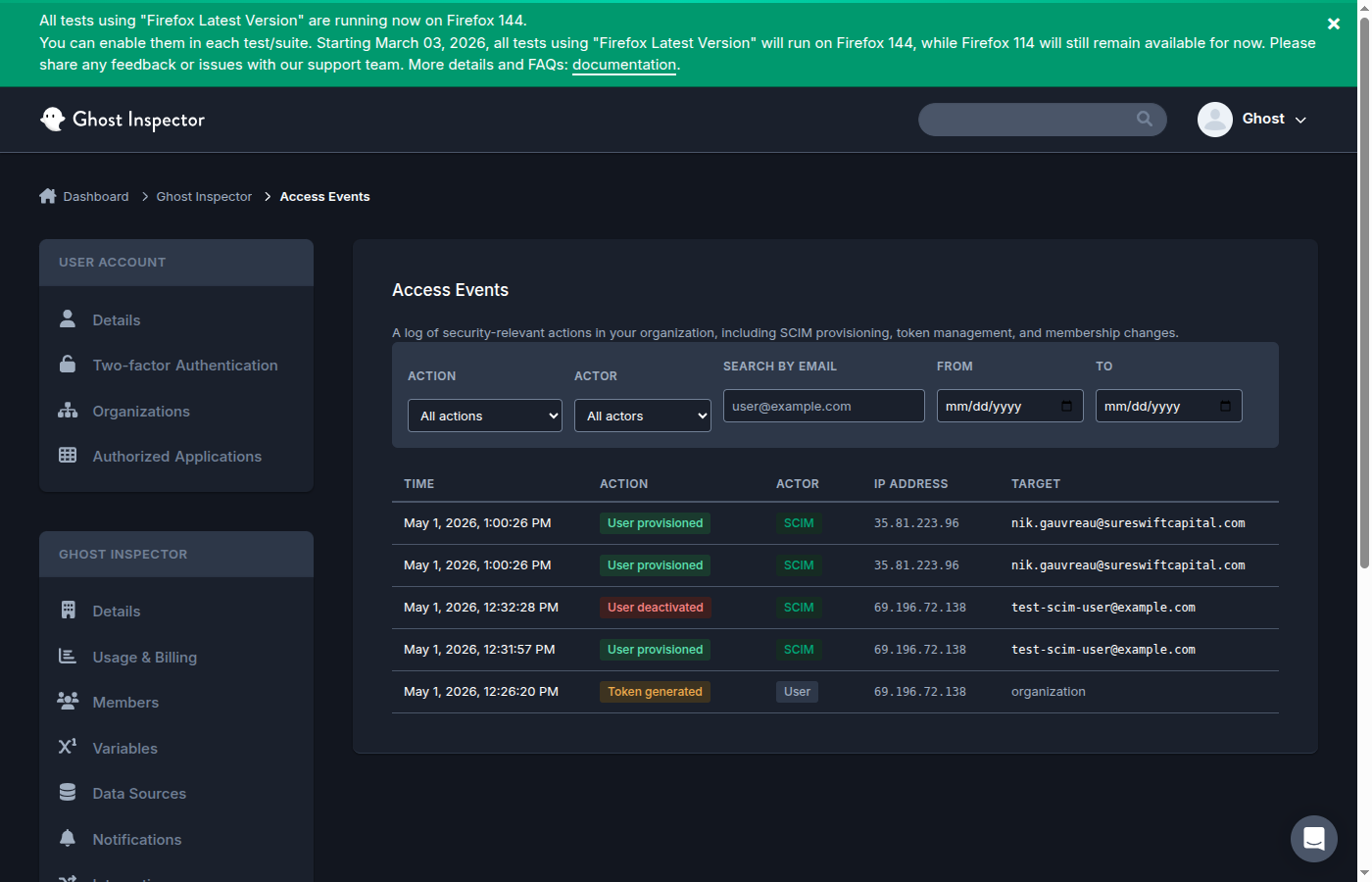
Each event includes:
- Time — when the event occurred.
- Action — what happened (for example, a login).
- Actor — the member associated with the event.
- IP Address — the network address the request came from.
- Target — the member or resource the action applied to, where relevant.
Filtering events
To find specific activity, use the filters above the table:
- Action — narrow to a particular type of event.
- Actor — focus on a specific member.
- Search by email — look up activity for a particular email address.
- From / To — limit the results to a date range.
Combine filters to answer questions like "who signed in from outside our network last week?" or "show all activity for this member in the past month."
Common uses
- Security review — periodically scan recent sign-ins for unfamiliar IP addresses or unexpected times.
- Incident investigation — if an account may be compromised, filter by that member to see when and where it was accessed.
- Offboarding verification — confirm that a departed member is no longer signing in.
- Compliance — provide a record of access for audits and internal policy.
Reviewing access events pairs well with the login IP allowlist: the log shows you where members are connecting from, which helps you decide which networks to trust.
Related
- Single sign-on (SSO) — authenticate members through your identity provider.
- SCIM provisioning — automatically manage membership from your IdP.
- Login IP allowlist — restrict access to trusted networks.
- Organizations — how organizations and membership work.